


Skip to content
Wholesale & Retail · Caloocan

Laptop parts for all brands. Wholesale & retail.

Chargers, LCD screens, batteries, keyboards and more. Send us your laptop model and we reply with the price and availability. Pick it up at the shop, get it same-day in Metro Manila via Lalamove or our own rider, or have it shipped via JRS, LBC or bus cargo.

  • All brands
  • Bulk orders welcome
  • Reseller friendly
Part Finder
Quick quote · All brands
01Laptop brand
03Part(s) neededPick one or more

No payment needed to ask. Prices depend on stock, so we quote every request.

  • All BrandsAcer to Huawei, and more
  • Bulk OrdersOne piece or one box
  • Reseller FriendlyPricing on request
  • Nationwide ShippingJRS · LBC · Bus cargo

Shop by part

See all part details
Repair Service

We also repair laptops and desktops.

Repairs are quoted separately from parts. Tell us the problem, and we give you a repair quote before any work starts.

  • Screen replacement
  • Keyboard replacement
  • Battery replacement
  • Charging & power issues
  • Won't turn on
  • Slow laptop & reformat
  • Overheating & cleaning
  • RAM & SSD upgrades

Computers & laptops

Brand-new and pre-owned desktops, laptops, printers, monitors and accessories.

See all computers
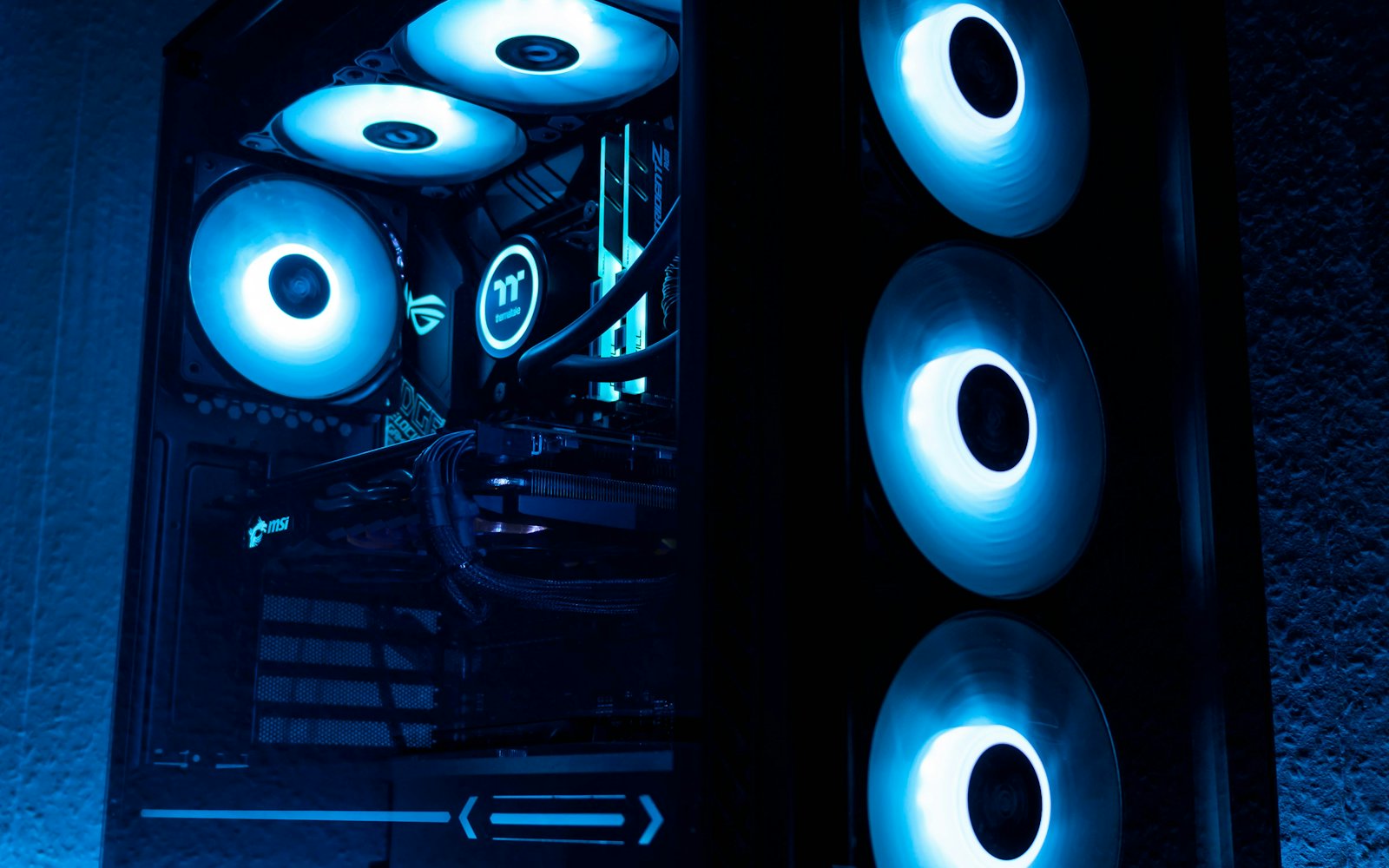
Custom gaming PC with blue-lit fans
Brand-new & pre-owned

Tell us your budget.

Let us know what the unit is for and how much you plan to spend, and we'll send you available options with prices.

How to order

All orders go through Messenger, call or Viber. You can also start with the Part Finder above.

  1. 1

    Send your model

    Message the exact laptop model or part number.

    A515-54G
  2. 2

    Tell us the part

    Charger, screen, battery, keyboard or anything else.

    LCD × 1
  3. 3

    Get price & stock

    We check availability and send you a quote.

    Quote sent
  4. 4

    Confirm your order

    Reply to lock in the part and the price.

    Confirmed
  5. 5

    Pay & receive

    Pay by COD, bank transfer, GCash, Maya or LBC cash on pick-up. Pick up, same-day delivery, or shipping nationwide.

    Pickup · Meetup · Ship

Shipping & payment

Pick up at the shop, get it the same day in Metro Manila, or have it shipped anywhere in the Philippines.

Store hours: Mon–Sat, 9:00 AM – 6:00 PM Inquiries open all day

Nationwide shipping

JRS Express LBC Express

Bus cargo

Victory Liner Partas Florida and more

Same-day in Metro Manila

Lalamove Our own rider Pick up at the shop

Shop address: 275 North Diversion Road, Caloocan South.

Payment options

COD Bank transfer GCash Maya LBCCash on pick-up

Payment details are sent with your confirmed order.

Resellers, technicians & businesses

We sell wholesale to computer shops, technicians and resellers, and supply computers and parts to companies, offices and schools. Ask us about bulk pricing.

Computer shopsKeep fast-moving parts on your shelf.
Laptop techniciansGet the exact part for the unit on your bench.
ResellersMixed brands in one order, shipped to you.
Companies & schoolsBulk computers and regular parts supply.
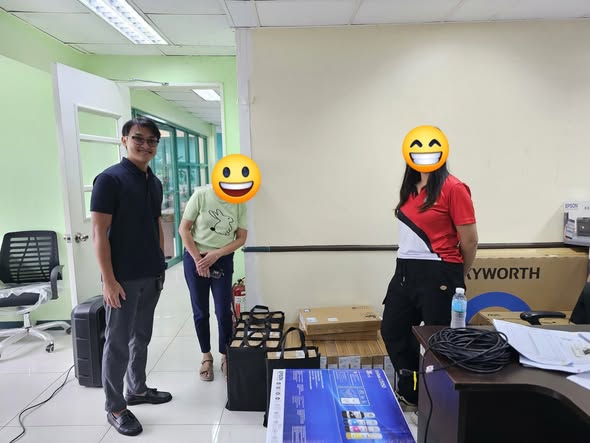
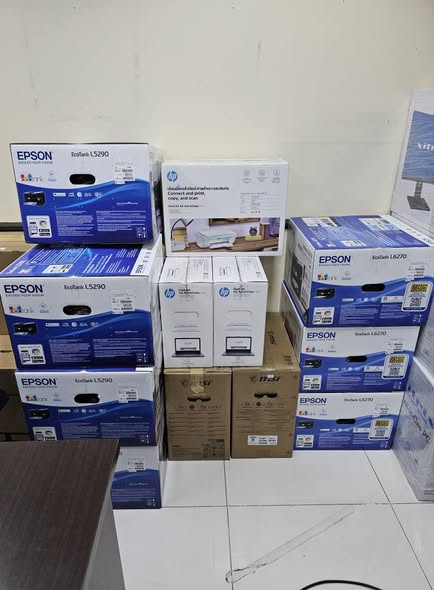
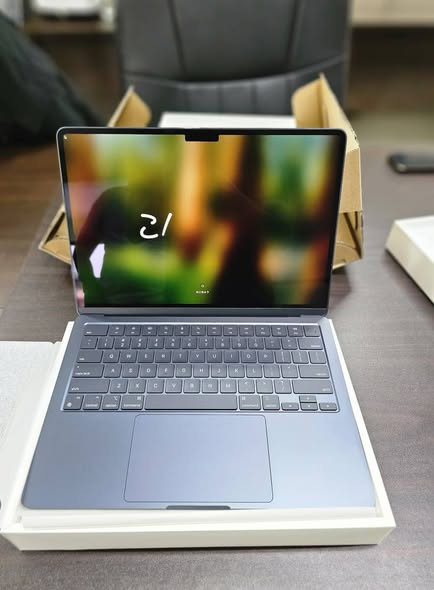
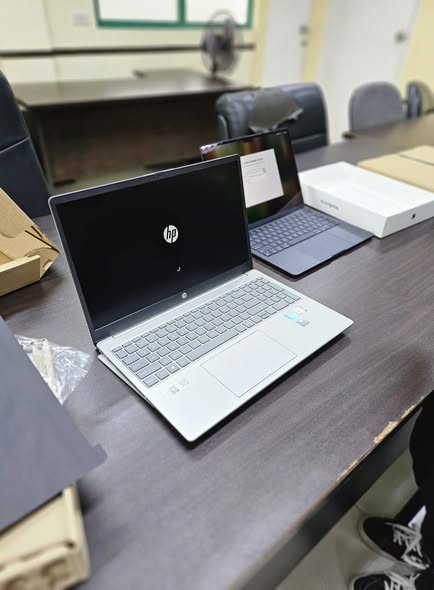
Recent B2B order · December 2025
  • 20MacBook M2 units
  • 13HP Core i7 laptops
  • 7Printers

Delivered to one client in a single order. We can do the same for your office or school.

Brands we carry parts for

ACERASUSDELLHPLENOVO MSIAPPLETOSHIBASAMSUNGHUAWEI FUJITSUGIGABYTESONY VAIONEC+ More brands

Brand names belong to their owners. PC Talks sells compatible and replacement parts and is not an official distributor of these brands.

Recent deliveries

Recent orders delivered to our customers.
More on our Facebook page
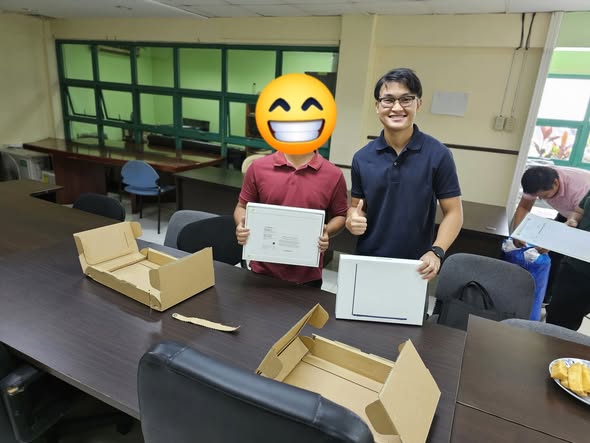
Order delivered by PC Talks
PC Talks handing over laptops to a client

About PC Talks

A computer and laptop shop on North Diversion Road, operated by Junio Consumer Electronics Trading. We sell laptop parts wholesale and retail, brand-new and pre-owned computers and laptops, and we also do repairs.

More about us

Frequently asked questions

Didn't find your question here? Send us a message.

Ask on Messenger
Do you ship outside Metro Manila?

Yes. We ship nationwide via JRS Express, LBC and bus cargo (Victory Liner, Partas, Florida and more). In Metro Manila you can get it the same day via Lalamove or our own rider, or pick it up yourself at our Caloocan shop.

Why are there no prices on the website?

Laptop parts are model-specific and stock moves every day. We quote each request so the price you get is current and the part is really available.

How can I pay?

We accept cash on delivery (COD), bank transfer, GCash, Maya and LBC cash on pick-up. Payment details are sent with your confirmed order.

Do you sell brand-new or pre-owned units?

Both. We have brand-new and pre-owned laptops and computers. Tell us your budget and we'll send what's available.

Do your parts have a warranty?

Warranty and return terms depend on the part. We tell you the coverage together with your quote.To confirm

How do I find my laptop model number?

Flip the laptop and look for the sticker with "Model" or "P/N". You can also read it from the old part's label, or send us a photo.

Do you sell wholesale or to businesses (B2B)?

Yes. Shops, technicians, resellers, companies and schools can order in bulk and ask for special pricing. Apply here

Messenger · fastest reply PC TALKS
Call · Viber · Text 0995 613 1824
Call Viber
Email pctalks.j@gmail.com
Shop address 275 North Diversion Road, Caloocan South, Philippines 1400
Get directions Mon–Sat, 9:00 AM – 6:00 PM · Inquiries open all day
PC Talks 275 North Diversion Road, Caloocan Open in Google Maps
Messenger Call
Parts quote

Your quote request is ready

Send it to us with any option below. We reply with price and availability.

Your message
Tip: after you paste the message, send a photo of the sticker under your laptop or the label on the old part. It helps us match the exact part.

Next: we check stock and reply with the price and availability.

Quick guide

Where do I find my model number?

Any one of these is enough. A photo works too.

  1. 1
    Check the sticker under the laptop. Look for "Model", "Model No." or "P/N". On some older laptops it sits under the battery.
  2. 2
    Check the old part itself. Chargers show volts and amps (like 19V 3.42A). Batteries and screens have a part number printed on the label.
  3. 3
    On Windows: press Win + R, type msinfo32, press Enter, and look at "System Model".
  4. 4
    Still not sure? Take a clear photo of the sticker and send it with your message. We will find it for you.